Ruby for Beginners: Your Complete Study And Installation Guide
Get started with Ruby with this complete guide for beginners.

Over the next 6 weeks we’re going to be learning Ruby together - I’m so excited!
Here’s how it’s going to work! You’re going to follow the schedule I made in conjunction with two free resources:
-
Freecodecamp’s free 4 hour ruby course on Youtube.
Day 1 is all about getting organized and set up for learning! Let’s take a moment to install Ruby, install a Code Editor, create a GitHub repository to track our learning and join the GitHub study group discussion board.
Installing Ruby ♦️
Installing Ruby
If you’re using a Windows machine, you can follow the installation instructions in this FreeCodeCamp Youtube video the instructor will walk you through how to get Ruby on your machine and check that everything is working properly.
If you’re using a Mac, like I am, Ruby is already installed on your machine. To check your version of Ruby, you can also follow the instructions in the video above or you can open up your terminal and run the following command ruby -v to check your version.
Regardless of your operating system, you may want to download a Ruby version manager (rvm) to manager different versions of Ruby on your machine. I followed the instructions in this blog post to install rvm on my machine.
Installing a Code Editor
You will need to download a Code Editor to learn Ruby. My preferred Code Editor is Visual Studio Code (VS Code).

With VS Code, you can run Ruby code directly in the editor, which is super convenient. You can download VS Code by going to this link and choose the one that matches your operating system. Once you’ve installed VS Code, I recommend that you install 2 extensions to make your Ruby experience more seamless:
Once you’ve installed those extensions, you’ll be in business and ready to learn Ruby.
Track your Learning & Find Community
We’ll be learning a lot over the next 6 weeks so it’s imperative to stay organized. I created a GitHub repo to keep track of my notes from week to week and I implore you to do the same.
You should also make a copy of the study plan I created for us to keep track of your own learnings. To copy the study plan, simply click the green “Use Template” Button. Alternatively, you can click the three dots in the upper right hand corner and click “Make Copy” and you’ll have your own version of the Study plan!

Join the Community!
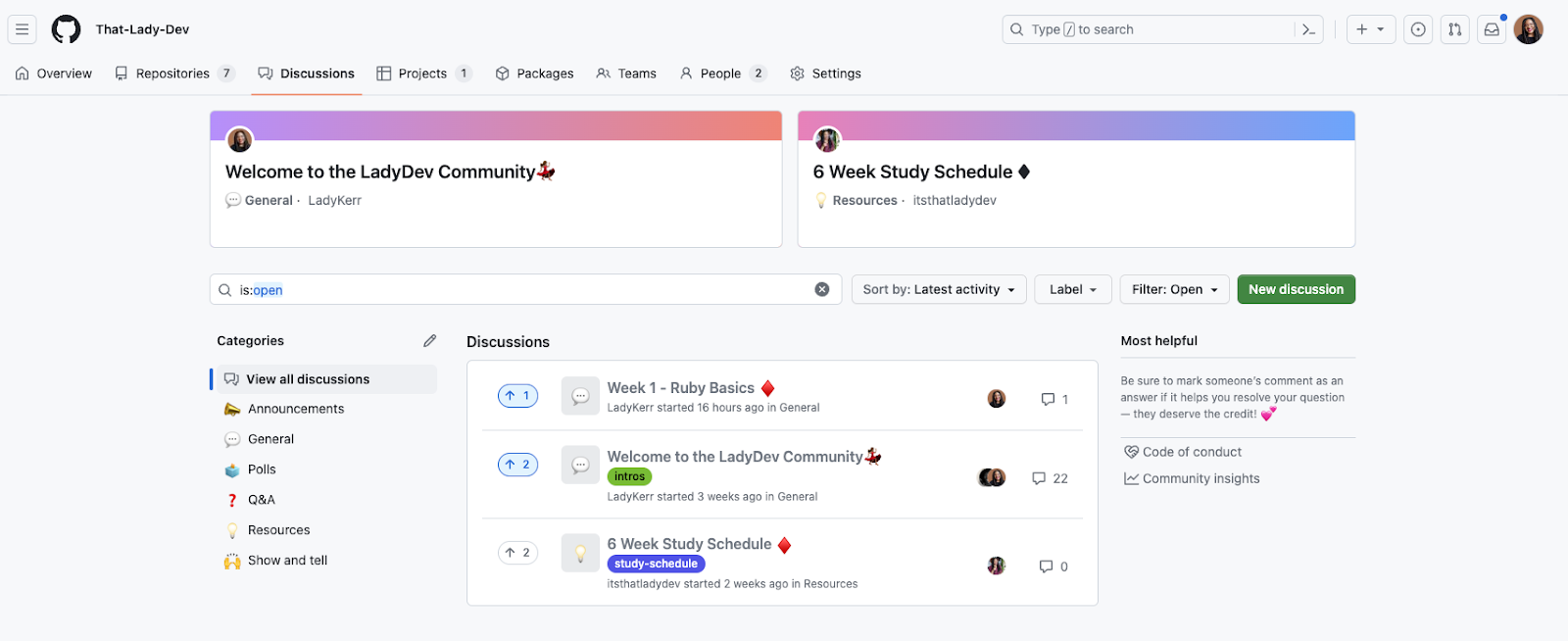
One last thing, join the community I created for us to come together and ask questions. Feel free to create discussion boards with questions, resources or comments you have while learning! We’re in this together and I want to ensure that you’re having a good experience.
Follow me on Social Media! 💃🏽
I’ll be posting videos and updates on social media: Instagram, Twitter and TikTok as we go along our learning journey. Be sure to follow me everywhere @itsthatladydev to stay updated! ✨
https://twitter.com/itsthatladydev/status/1682439820704882699
See you on day 2 when we start learning about variables and data types in Ruby!
Exciting stuff! 💃🏽
Happy Coding!

I write about building with AI.
Let's stay connected! 💕
Get the next post delivered to your inbox and follow me on Instagram for daily AI tips and coding content.
See you on Instagram!